


01
Your Aptora address
Every account gets an email address of its own for job offers.
Discover. Human. Capability.
Create and share your CV. Find matching projects and permanent roles in Germany, Austria and Switzerland.
New jobs
Product
Three views from the app, from your own profile to an agreement with a client. The numbers point at what matters.
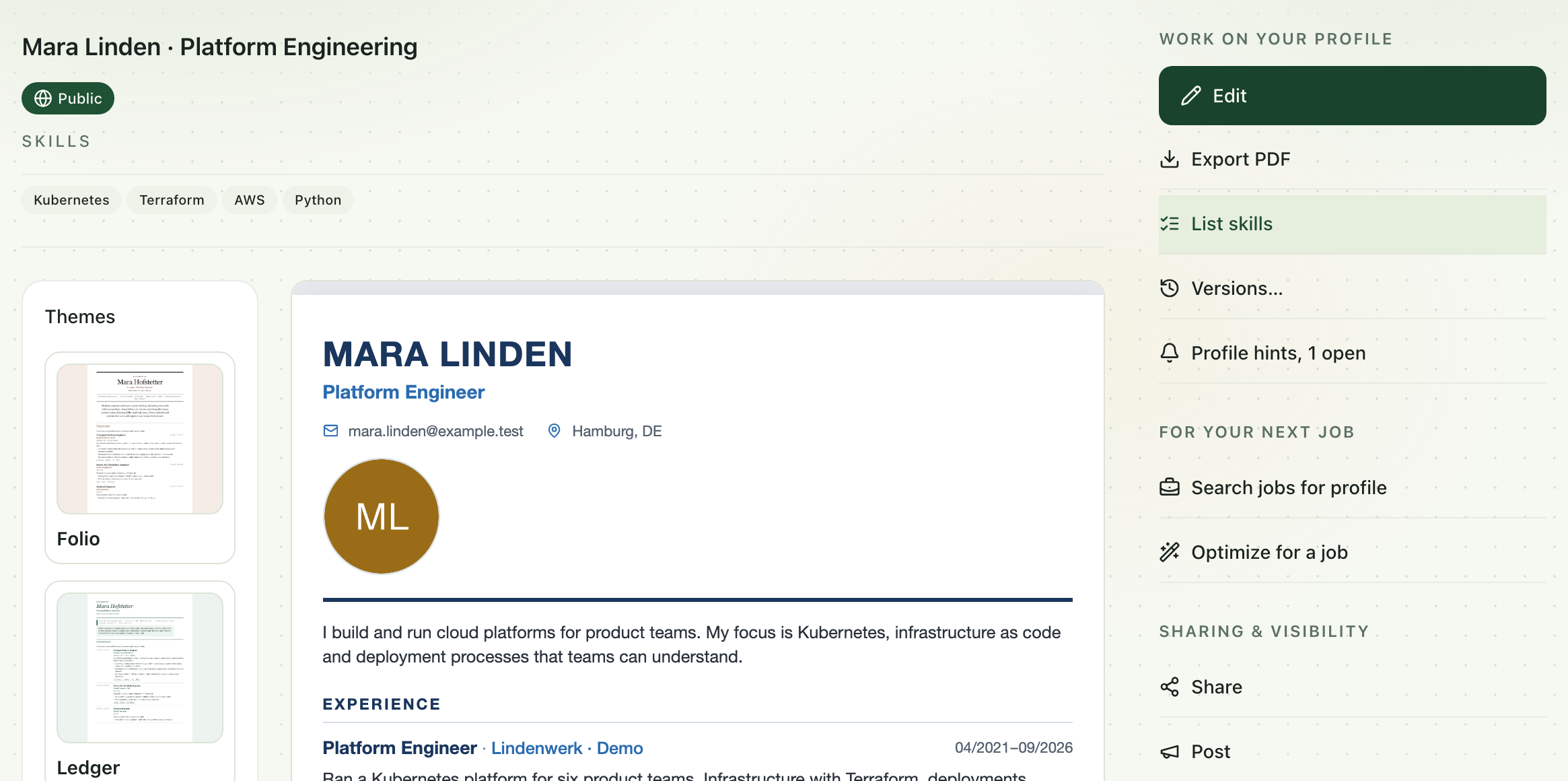
Your CV is yours. As an Aptora profile you keep it in one place and use it for matching, applications, a share link and the PDF.
In the editor, Aptora reads an existing CV from a PDF, screenshot or photo. Nothing is saved until you have checked the details.
What is listed here counts most in matching. The list is the basis for the matches in the next step.
When a position names a skill that is not on the list, Aptora suggests it with the passage it found, here GitOps. It joins the list only once you add it.
For a listing, Aptora writes a tailored copy from what your profile already contains. Your profile stays as it is.
Instead of another PDF you send a link to the current state of your CV. You decide how discoverable your profile is.
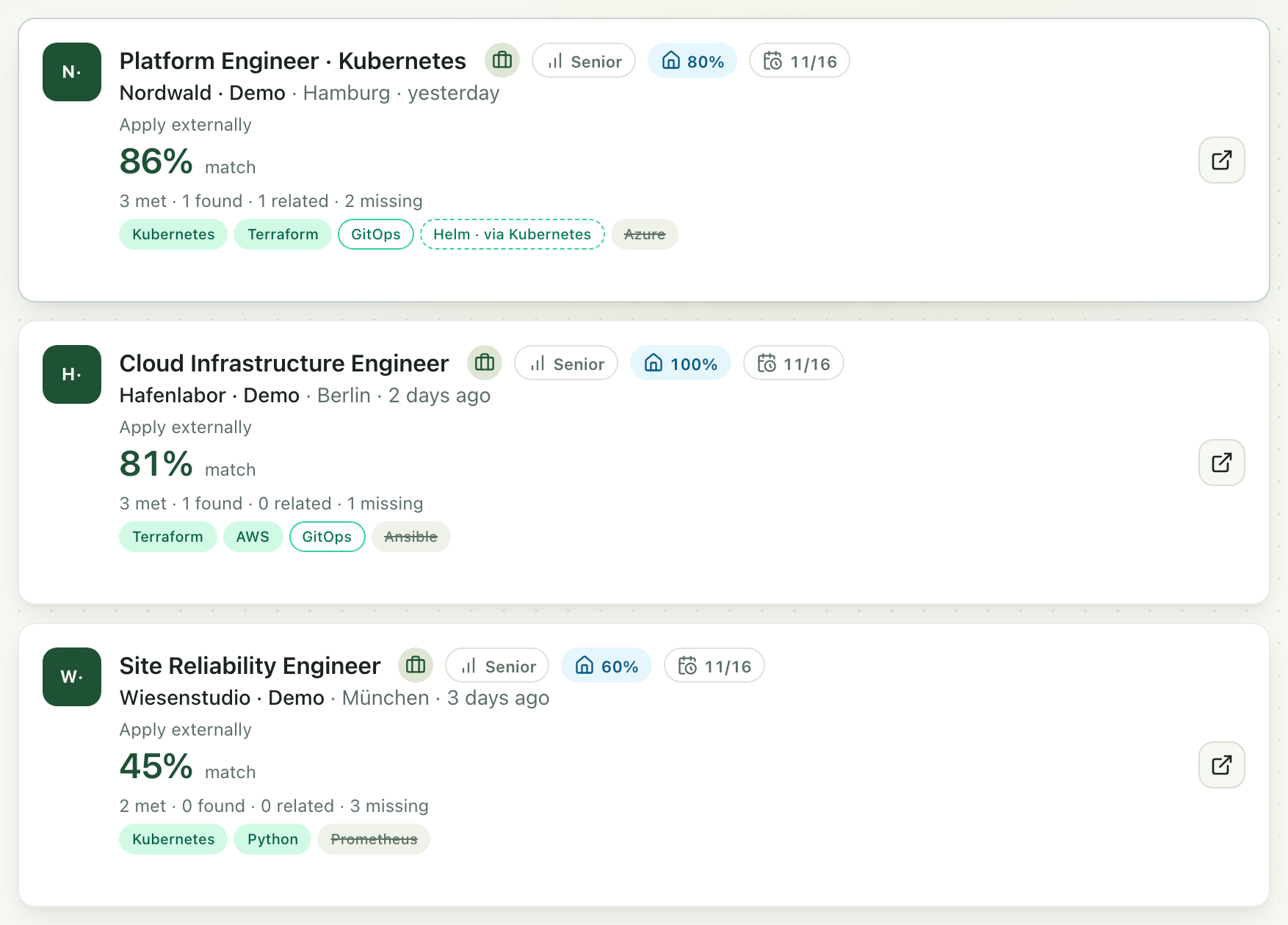
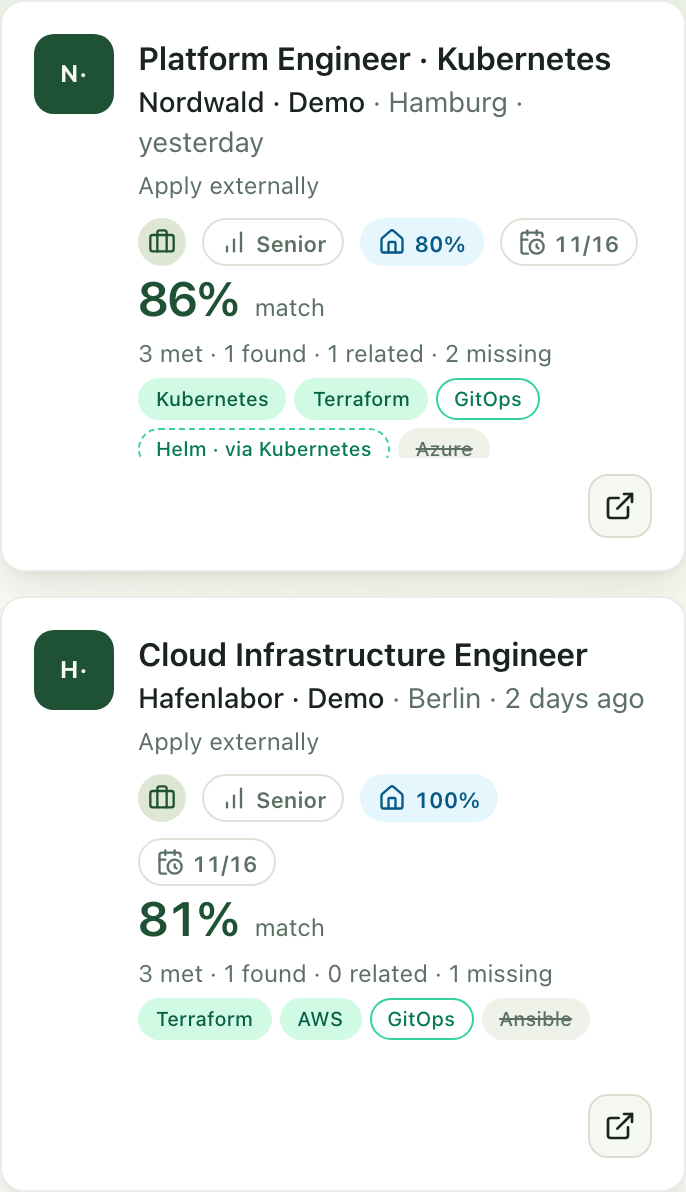
Aptora compares the requirements of every job listing with your CV. The percentage measures that overlap, not you.
Requirements the listing makes mandatory count more than optional ones. When listing and profile share a role, or one is the direct parent or child role of the other, a fixed bonus is added. A gap in seniority lowers the value.
A skill your profile lists counts in full.
A skill that only appears in a position or a project counts less than one on the list.
Helm is covered through Kubernetes, a reviewed link in the skill catalogue. That also counts less than direct evidence.
The listing asks for Azure and your profile does not name it. How much that weighs depends on whether the listing makes it mandatory or optional.
Read more: How a match comes about · Ranking parameters
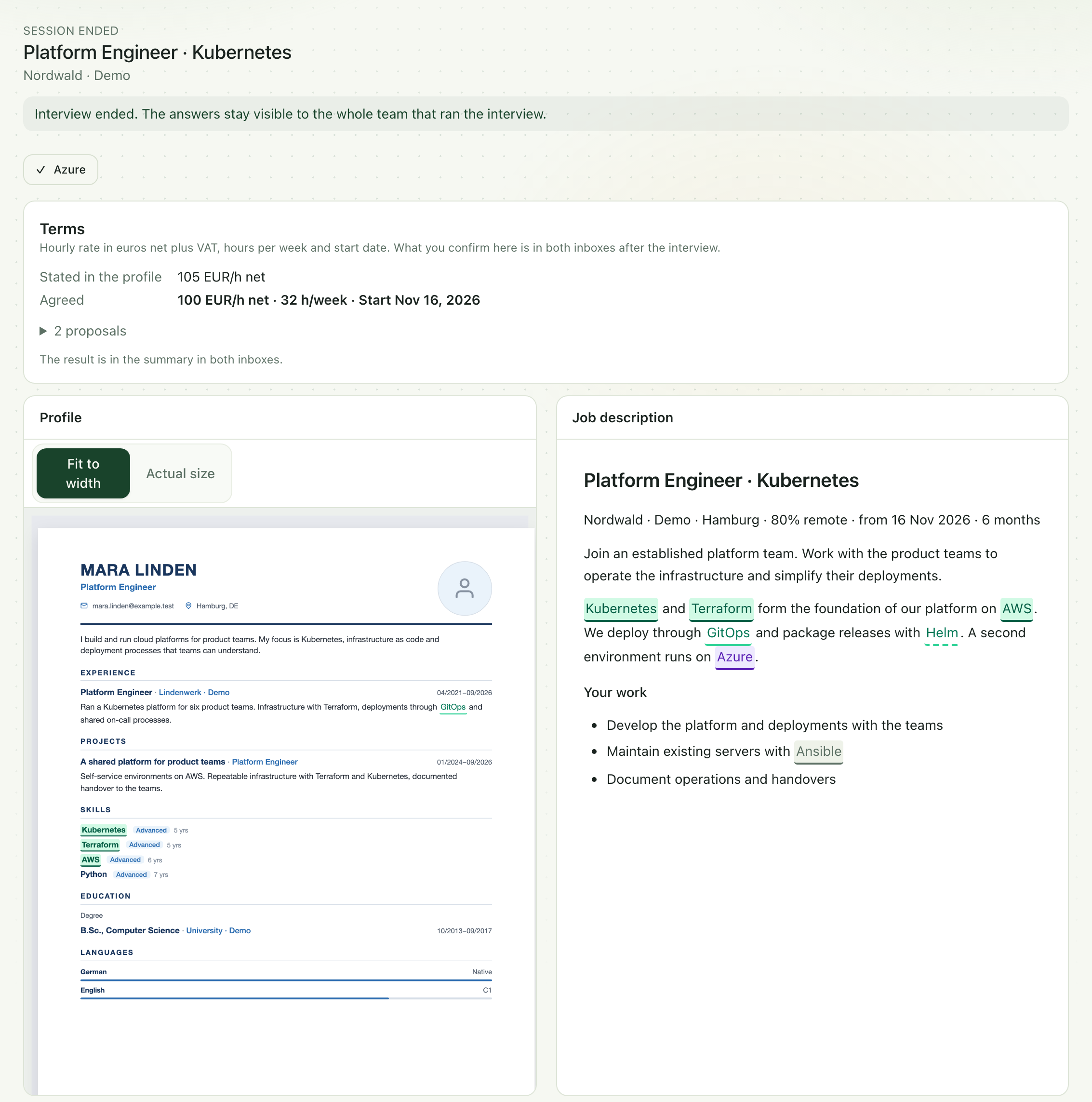
When a client needs support at short notice, they put your CV next to their requirements. Whatever is open, you settle through a skill request or in a live interview. The capture shows an ended live interview from your side.
Kubernetes is on your skill list and in the requirement. Both places are marked.
Your profile covers Helm only through Kubernetes. The dashed mark shows that.
Ansible does not appear in the profile. That says nothing about whether you master the skill. It is an open point.
Azure was missing from the profile. In the interview you confirmed it yourself, and the comparison now shows it as a personal answer. In writing, a skill request does the same.
Hourly rate, hours per week and start date: one side proposes, the other confirms. What you agree then sits in both inboxes and on the team's shortlist.
Read more: Direct comparison · Clarify skills and terms
LESS SORTING. MORE CLARITY.
Have the emails from your job alerts delivered straight to Aptora — and apply in a few clicks. Everything in between is Aptora's job.
Every account gets an email address of its own for job offers.
Enter it at your job boards — or simply forward what already lands in your inbox.
Aptora reads every mail and turns it into individual jobs you can filter and sort.
Each one is scored against your CV — with the reasoning, not just a number.
CV link, day rate and covering note are ready to go. Send, and it's done.
YOUR CONTENT. YOUR PRESENTATION.
Understated for the corporate application, striking for the agency, plain for the tender: pick the design that suits the role — your content stays exactly as you wrote it. Every design gives you a print-ready PDF at the touch of a button, and new ones keep arriving.
Try designs in the appDesign sketches · the same CV content
CLAUDE · CURSOR · CHATGPT
Connect Aptora to the client you already use. Create CVs, browse jobs and review changes — right from the chat.
Set up connectionVISIBLE WHEN YOU WANT TO BE.
Yours is only in there if you want it to be — and only if it gives the search something to read. These are the five things it looks at.
Discover talentThe switch is yours to flip. You decide whether your profile shows up in the search, and you can take it back out at any time.
MORE ROOM FOR YOUR WORK.
From the first draft to the application you send — here is what Aptora takes off your hands.
Drop in a PDF, a screenshot or a photo from your phone. Aptora reads the roles, capabilities and education. Your CV is saved as a profile you can edit straight away.
PDF · screenshot · photoAptora finds your capabilities in the prose, settles the spelling differences, and knows what is related to what. If you know Kubernetes, you should not have to list Docker separately — and you don't.
Found, not typedEvery job is scored on the title, on your capabilities, and on what you have asked for. You see which requirements you meet, which are covered by a related capability, and which are genuinely missing. Your wishes are one plain sentence: “definitely Rust”.
Title · capabilities · wishesThe CV link in the right design, the day rate and the covering note are prepared for you. Everything you send stays in one place, so you always know where you applied and what came of it.
A few clicks per applicationPublish a CV at an address of its own and see how often it is opened. Every change is kept, so you can always go back to the version you sent last week.
Public link · analytics · full historyDISCOVER
Whether you are working on your CV, building a team or connecting Aptora to your software.

Bring your capabilities. Aptora brings structure.
Create my profile